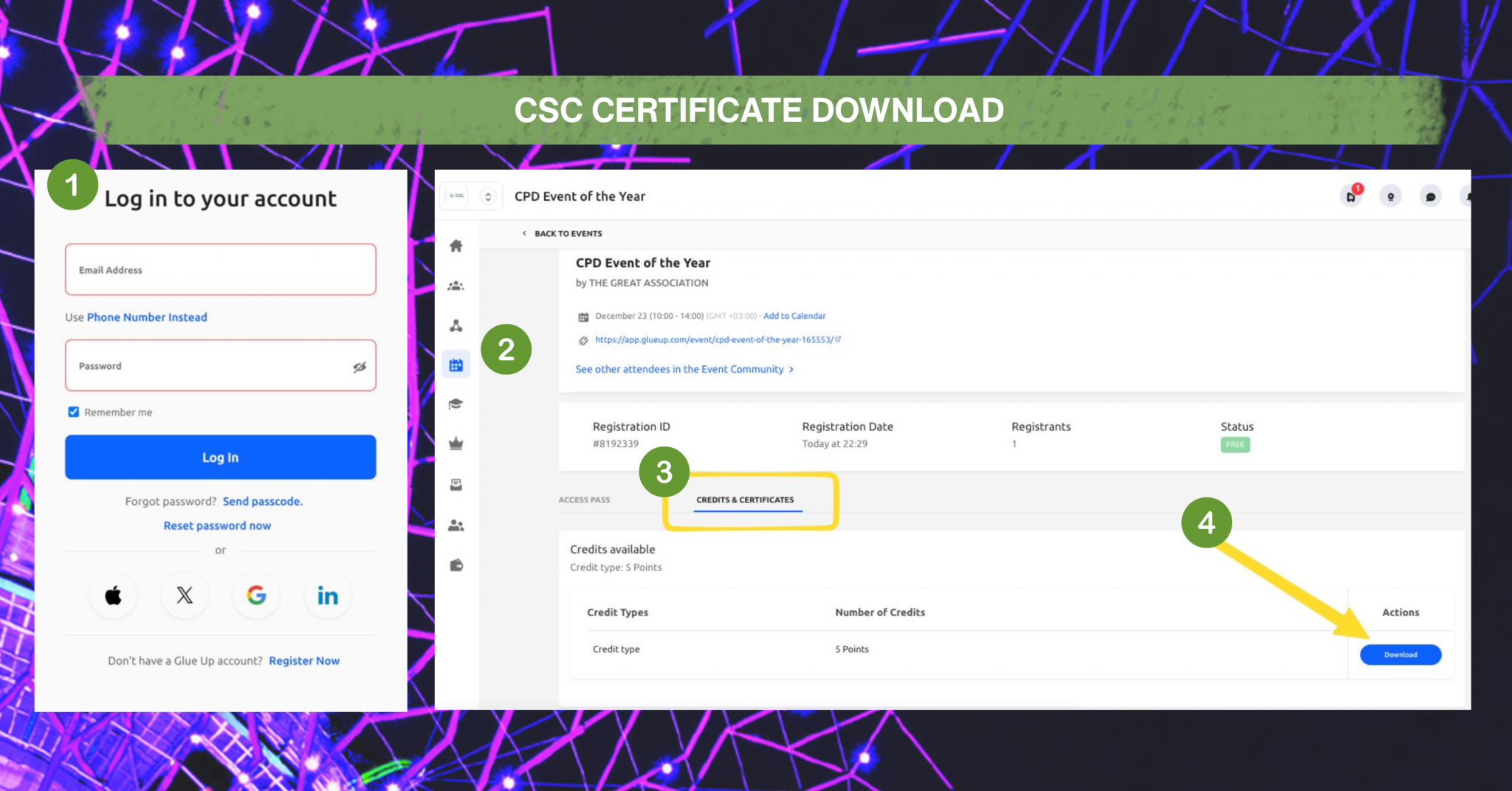
To access your HSMAI CPD certificates, you must have a Glue Up account linked to your HSMAI membership or event registrations.
Step 1: Create Your Glue Up Account
- If you have not already registered, visit this link.
- Click Register now.
- Enter the same email address you use for your HSMAI membership and event registrations.
- Verify your email address using the activation link sent to your inbox.
- Set your password and complete your account registration.
Important: If you attended an HSMAI event using a specific email address, you must register your Glue Up account using that same email address to ensure your attendance records and certificates are linked.
Step 2: Log In to Your Account
- Once your account has been created and verified, log in to your Glue Up account through the HSMAI member portal or My Glue app.
- Navigate to My Events or My Registrations.
Step 3: Access Your Certificates
- Locate the event or educational program for which you are eligible to receive a certificate.
- Open the event details.
- Select Certificate or Download Certificate.
- Download the certificate to your device.
|